 Cashbook
Every rupee in and out, in one simple book.
Cashbook replaces the paper register. Record cash in and cash out in seconds, keep separate books for home, shop or site, and see exactly where your money goes.
- English
- हिन्दी
- ગુજરાતી
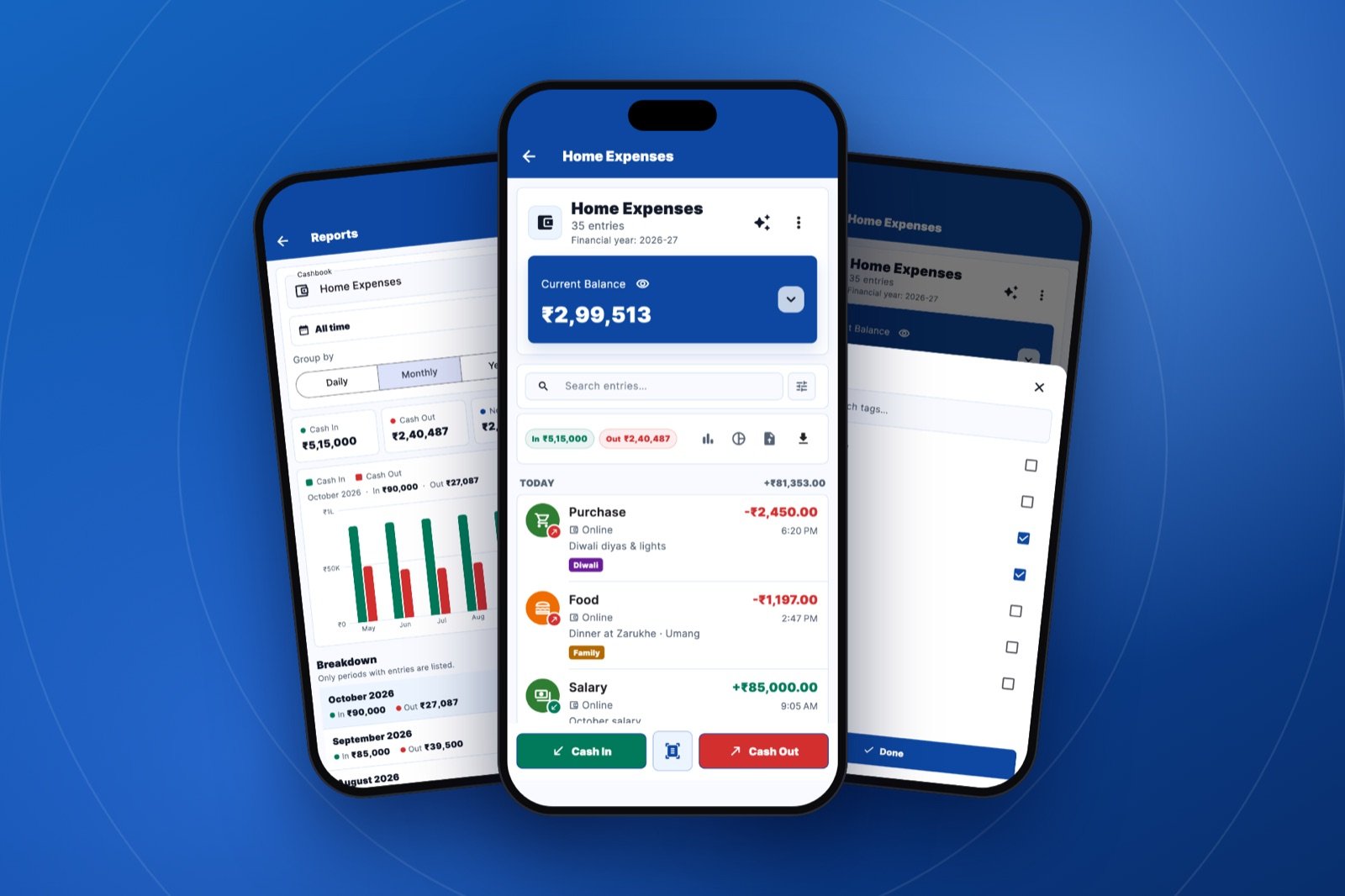
See it in action
Swipe through the app: cashbooks, entries, tags, reports and the AI assistant.
Everything you need to manage money
Simple enough for daily household expenses, complete enough for a small business.
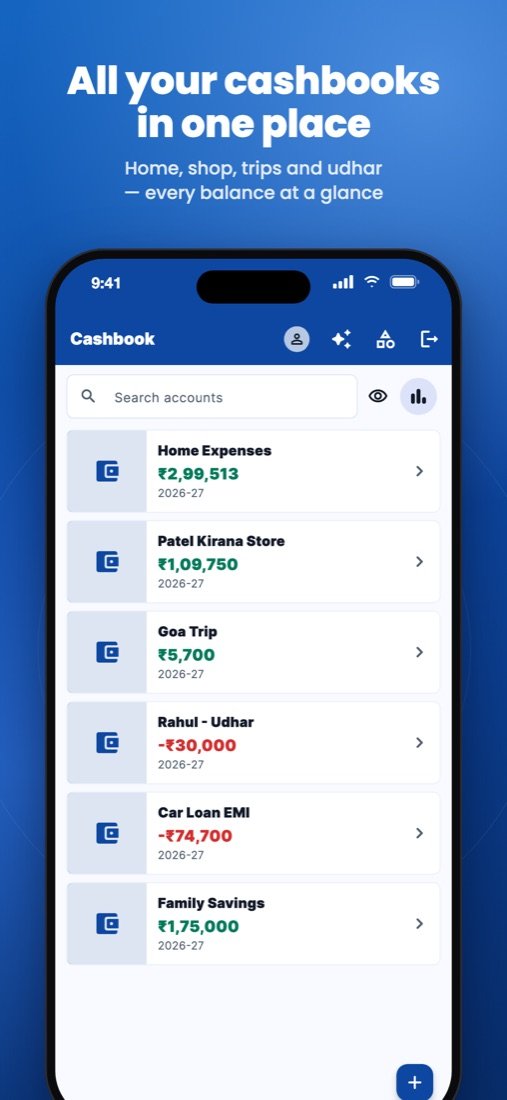
Multiple cashbooks
Keep separate books for home, business, a project or a trip, each with its own icon or photo and running balance.
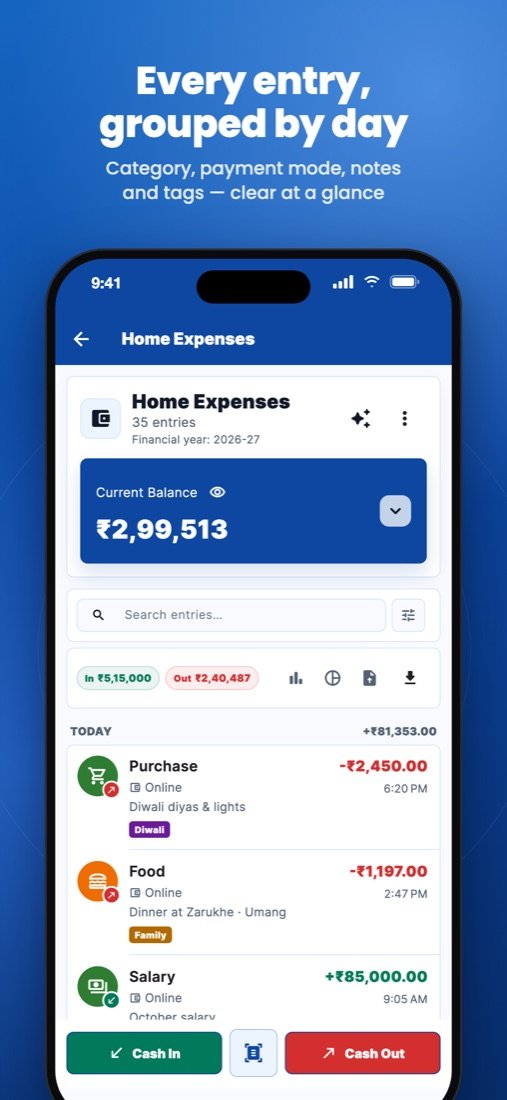
Categories with icons
Grocery, fuel, restaurant, transport and more. Create your own categories with an icon or your own image.
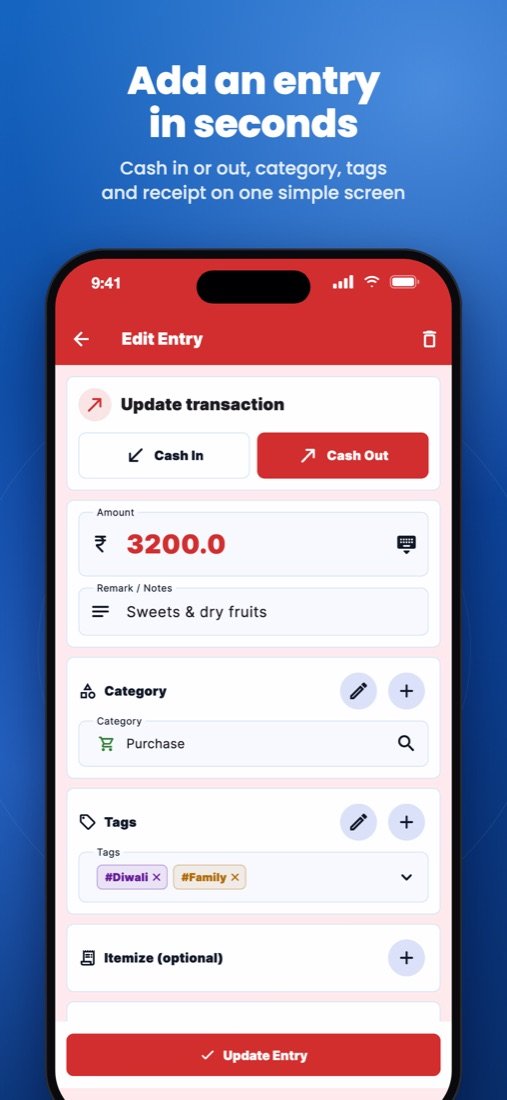
Tags
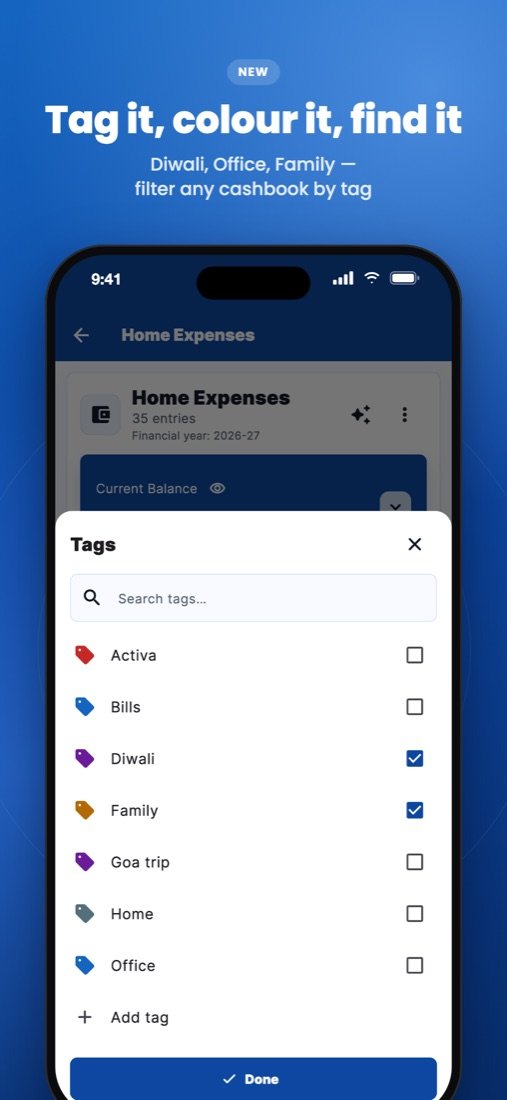
Label entries with your own tags like Diwali, Office or Goa trip, each in a colour you choose. Pick from your tag list, and tap a tag to see only those entries.
Itemised entries
Split one entry into items, like each thing on a grocery bill, and see whether they add up to the total.
Search and filters
Find any entry by name, note, contact or amount. Filter by date, financial year, category, payment method, tag or cash in and out.
Payment methods
Cash and online are built in. Add your own, such as UPI, credit card, cheque or bank transfer.
Reports and charts
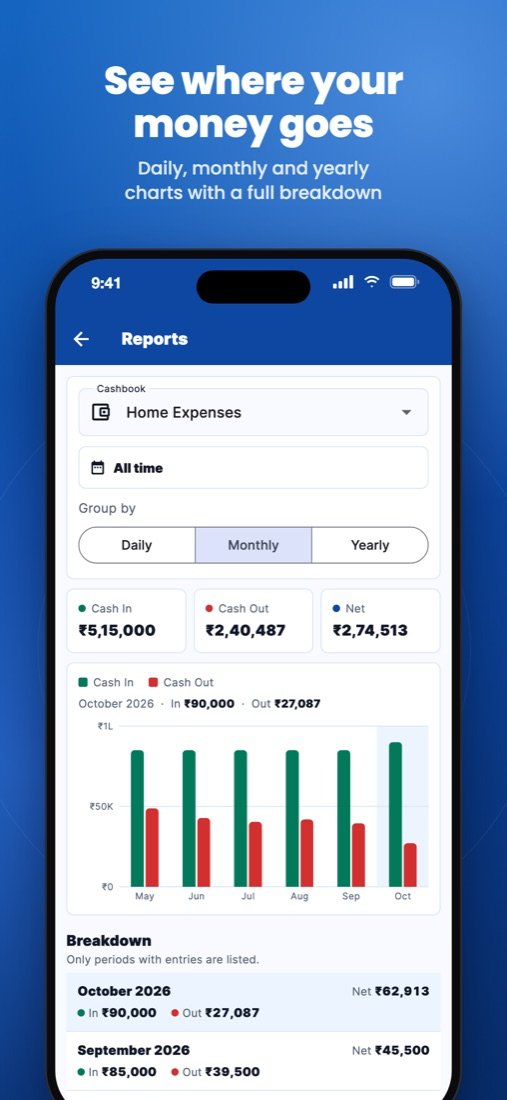
Daily, monthly and yearly bar charts across all your years of records, with filters for this month, last 3 months, financial year or any date range. Tap a category in the chart to see just its entries.
PDF and Excel export
Download or share a statement for any cashbook and period, ready for your accountant.
CSV import
Bring in old records from a spreadsheet. Match your columns, and missing categories are created for you.
Share with others
Give family, partners or staff view-only or edit access to a cashbook, and remove it any time.
Contacts and receipts
Link an entry to a contact from your phone and attach a photo of the bill or a document.
Interest and reminders
Track loans with interest, set recurring entries, and get reminded before payments are due.
Scan a bill
Take a photo of a receipt and Cashbook fills in the amount, date and category for you.
Your language
Use the whole app in English, Hindi or Gujarati, and switch any time from your profile.
Light and dark mode
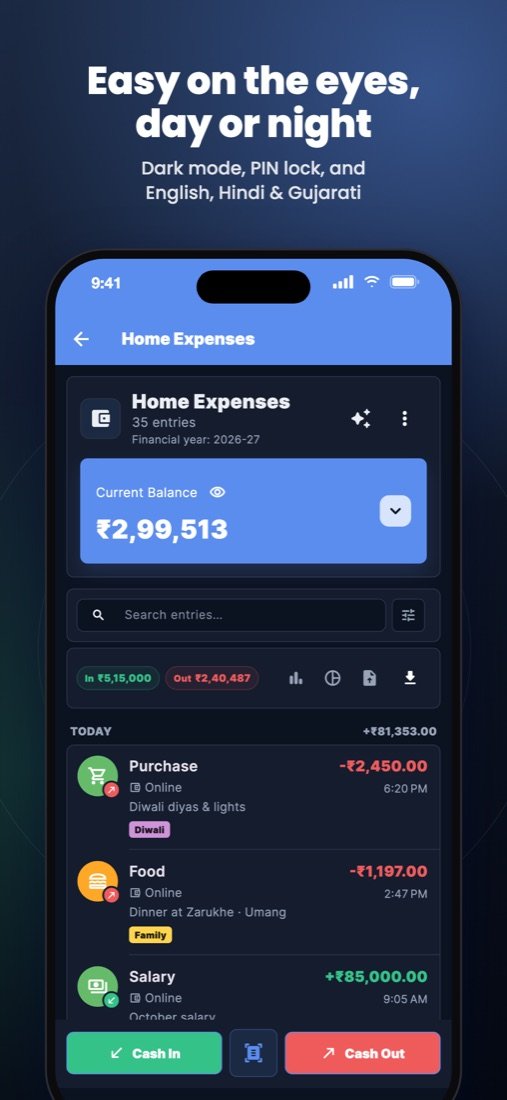
Pick light, dark, or follow your phone's setting from your profile.
Just say it. Cashbook writes it down.
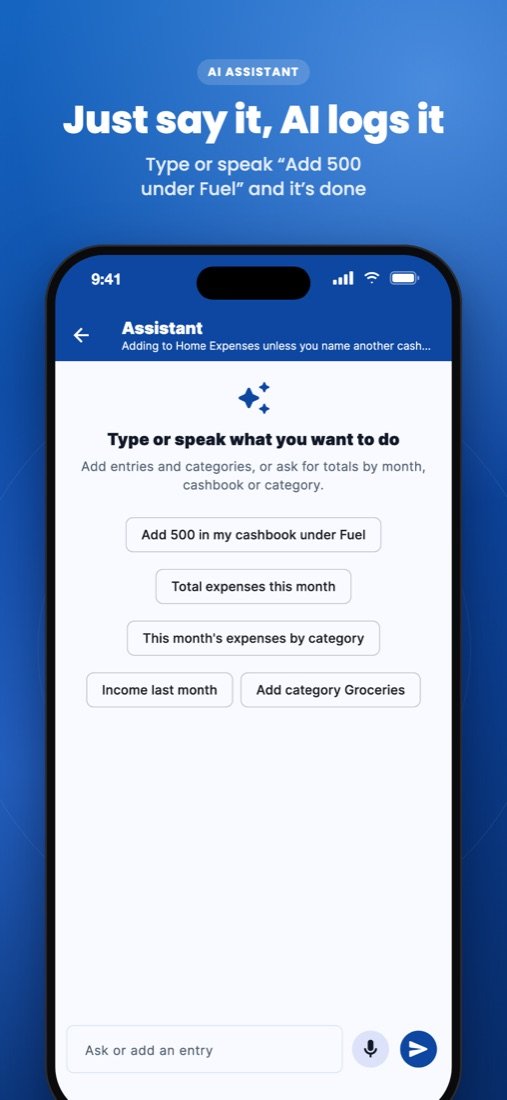
The built-in AI assistant understands typed or spoken requests. Add an entry, create a category, or ask how much you spent, without filling in a form.
Tag it. Find it in a tap.
Add tags to any entry, such as a festival, a trip or a client. One entry can have many tags, and a tap on a tag shows just those entries with their cash in and cash out.
- Sweets and diyas₹1,200
- Client payment₹42,000
- Hotel, 2 nights₹6,800
- Office rent₹15,000
- Gift from uncle₹2,100
- Taxi to airport₹650
Private and secure
Your records are yours.
App lock
Lock Cashbook with Face ID, fingerprint or your phone's passcode.
PIN for each cashbook
Put a 4-digit PIN on a private cashbook. It locks again whenever you leave the app, or tap Lock now.
Hide amounts
Tap the eye to show balances as ₹ ••••• when others are around. Cashbook remembers your choice.
Hidden in app switcher
When you leave the app, your records are covered by the Cashbook logo so nobody can glance at them.
No passwords
Sign in with a one-time code sent to your email. Data travels over encrypted connections.
Leave any time
Delete your account from your profile whenever you like, confirmed with a code sent to your email.
Get started in a minute
Cashbook is available for iPhone and Android.


Install and sign in
Choose your language, enter your email address, and type the code we email you.
Create a cashbook
Name it, pick an icon, and you're ready.
Add entries
Tap Cash In or Cash Out, or just tell the assistant. Your balance updates instantly.
Questions
Can I use it on more than one phone?
Yes. Sign in with the same email address and your cashbooks sync across devices.
Which languages are supported?
English, Hindi and Gujarati. Choose one when you sign in and change it any time from your profile.
Can I move my old records into Cashbook?
Yes. Export them from your spreadsheet as CSV and use Import in the app. You choose which column is the date, amount, category and so on.
What's the difference between a category and a tag?
Each entry has one category, like Grocery or Rent. Tags are extra labels you make up, and an entry can have several, such as Diwali and Family. Use the tag filter to see everything with that tag across categories.
How do I get help?
Visit our support page or email info@atulyam.tech.